Create Bad Word Filter Service
Starting state: You have deployed and invoked sentiment analysis. Return to start with cd "$BOOKSTORE_START", and keep the same cluster, default namespace, Docker daemon, and FUNC_REGISTRY setting.
Create a second Python function that classifies review text as good or bad and returns that result as a CloudEvent extension and data field. It is not connected to the Broker until the next lesson. Notifications remain an optional extension.
What Knative features will we learn about?
- The easiness to use Knative Function to deploy your service, and make it be managed by Knative Serving, which gives you the ability to auto-scale your service to zero, and scale up to handle the demand.
What does the final deliverable look like?
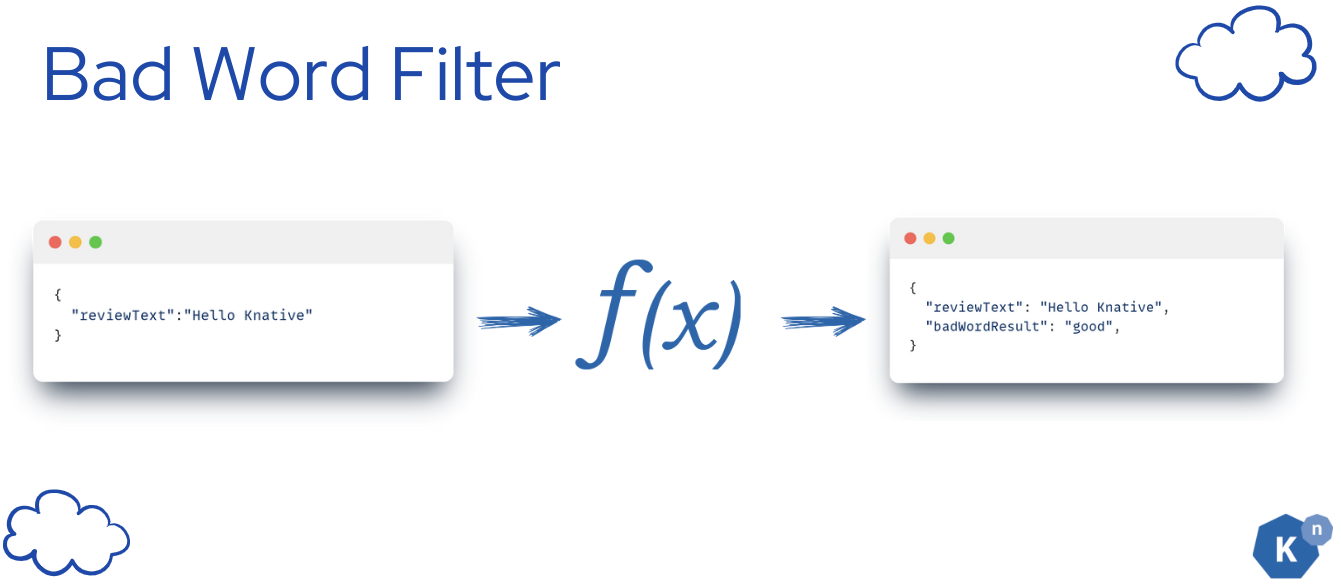
A running serverless Knative Function that contains a python application that receives the new review comments as CloudEvent and returns the result that tells your input text contains any inappropriate languages or not. The result is sent back as CloudEvent.
Info
We are using the profanity_check library to detect the bad words in the text. It is a third-party library supplied by the alt-profanity-check dependency below. See the ML accuracy disclaimer and library acknowledgments. Do not use this sample classifier as a guarantee of moderation accuracy.
The function's output will be only from:
- good
- bad
Implementation
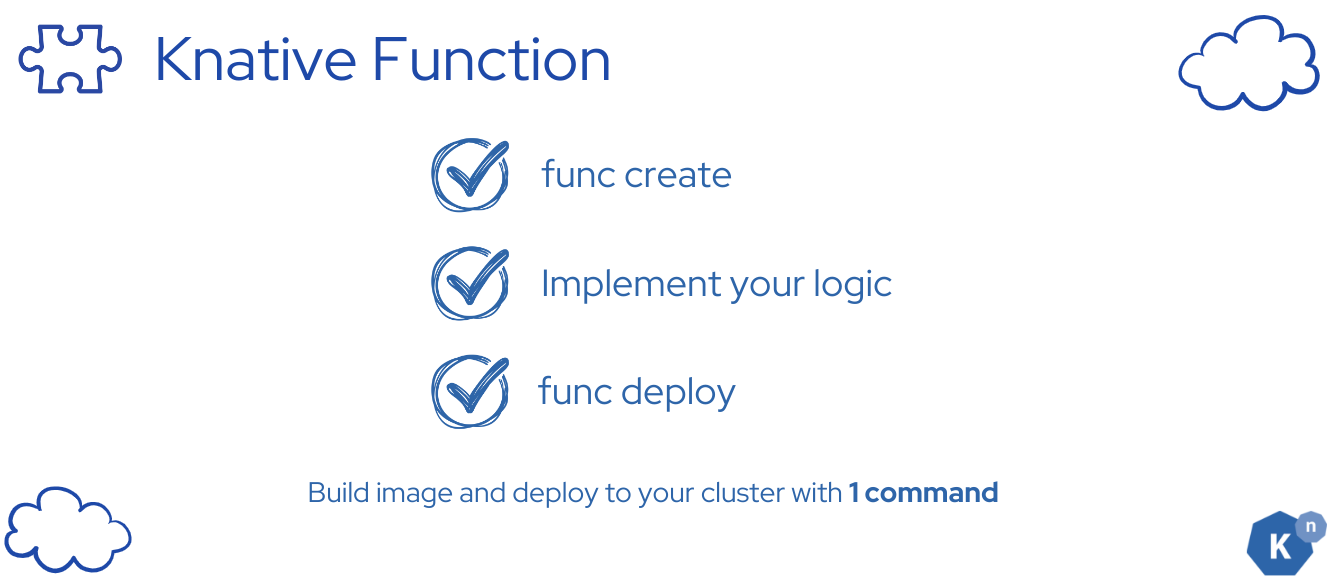
The process is straightforward:
- Begin by utilizing the
func createcommand to generate your code template. - Next, incorporate your unique code into this template.
- Finally, execute
func deployto deploy your application seamlessly to the Kubernetes cluster.
This workflow ensures a smooth transition from development to deployment within the Knative Functions ecosystem.
Step 1: Create a Knative Function template
func create -l python bad-word-filter -t cloudevents
Verify
The file tree -a will look like this:
start/bad-word-filter
.
├── .func
│   └── local.yaml
├── .funcignore
├── .gitignore
├── func.yaml
├── function
│   ├── __init__.py
│   └── func.py
├── pyproject.toml
├── README.md
└── tests
    └── test_func.py
Step 2: Replace the generated code with the bad word filter logic
bad-word-filter/function/func.py is the file that contains the code for the function. You can replace the generated code with the bad word filter logic. You can use the following code as a starting point:
bad-word-filter/function/func.py
import logging
from cloudevents.core.v1.event import CloudEvent
from profanity_check import predict

def new():
    return Function()

class Function:
    async def handle(self, scope, receive, send):
        """ Handle all HTTP requests to this Function. The incoming CloudEvent is in scope["event"]. """
        logging.info("Request Received")

        # 1. Extract the CloudEvent from the scope
        request_event = scope["event"]

        # 2. Extract the data payload from the event, analyze and create CloudEvent
        response_event = self.inappropriate_language_filter(request_event.get_data())

        # 3. Send the response
        logging.info(f"Sending response: {response_event.get_data()}")
        await send(response_event)

    def create_cloud_event(self, inputText, data):
        attributes = {
            "type": "new-review-comment",
            "source": "book-review-broker",
            "datacontenttype": "application/json",
            "badwordfilter": data,
        }

        data = {"reviewText": inputText, "badWordResult": data}

        return CloudEvent(attributes, data)

    def inappropriate_language_filter(self, text):
        review_text = text.get("reviewText", "")
        profanity_result = predict([review_text])
        result = "good"
        if profanity_result[0] == 1:
            result = "bad"

        return self.create_cloud_event(review_text, result)
Step 3: Configure the dependencies
 The content of
bad-word-filter/pyproject.toml:
bad-word-filter/pyproject.toml
[project]
name = "function"
description = ""
version = "0.1.0"
requires-python = ">=3.9"
readme = "README.md"
license = "MIT"
dependencies = [
    "httpx",
    "cloudevents>=2.2,<3",
    "pytest",
    "pytest-asyncio",
    "alt-profanity-check==1.4.1.post1" # <-- add this dependency
]
authors = [
    { name="Your Name", email="you@example.com"},
]

[build-system]
requires = ["hatchling"]
build-backend = "hatchling.build"

[tool.pytest.ini_options]
asyncio_mode = "strict"
asyncio_default_fixture_loop_scope = "function"
Step 4: Deploy the function to the cluster
 Enter the newly created project from
start:
cd bad-word-filter
Run deployment and invocation from this directory. Ensure FUNC_REGISTRY still points to your writable registry namespace and that the cluster can pull the image.
func deploy -b=s2i -v
Verify
Expect to see the following message:
Function deployed in namespace "default" and exposed at URL:
http://bad-word-filter.default.svc.cluster.local
Verify
func invoke -t "$(kn service describe bad-word-filter -o url)" \
  -f=cloudevent --data='{"reviewText":"I love Knative so much"}' \
  --content-type=application/json -v
Verify
Expect to receive a CloudEvent response:
Context Attributes,
specversion: 1.0
type: new-review-comment
source: book-review-broker
id: ebbcd761-3a78-4c44-92e3-de575d1f2d38
time: 2024-05-27T04:44:07.549303Z
datacontenttype: application/json
Extensions,
badwordfilter: good
Data,
{
"reviewText": "I love Knative so much",
"badWordResult": "good"
}
If you see the response, it means that the function is running successfully.
Next Step

In this tutorial, you learned how to create a serverless function for a simple service that can detect inappropriate languages in text with Knative.
Return to start with cd "$BOOKSTORE_START". Next, connect the two functions in a Sequence: the inappropriate-language filter runs first, followed by sentiment analysis.
Previous: Deploy sentiment analysis · Next: Create the Sequence