Using a Knative Service as a source
Starting state: You have verified example-broker on the Quickstart cluster in default. No Service named cloudevents-player or binding named ce-player-binding should already exist there.
In this tutorial, you will use the CloudEvents Player app to showcase the core concepts of Knative Eventing. By the end of this tutorial, you should have an architecture that looks like this:
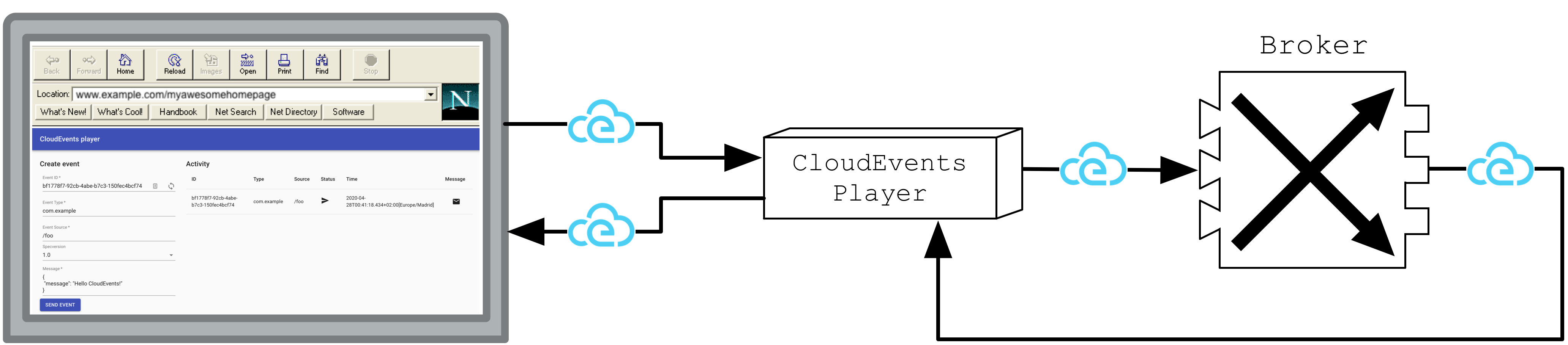
The above image is Figure 6.6 from Knative in Action.
Creating your first source
The CloudEvents Player acts as a Source for CloudEvents by intaking the name of the Broker as an environment variable, BROKER_NAME. If the Broker is
located in a different namespace it is possible to also set the BROKER_NAMESPACE environment variable. Alternatively, you can just use the BROKER_URI.
You will send CloudEvents to the Broker through the CloudEvents Player application.
Create the CloudEvents Player Service:
kn service create cloudevents-player \
  --image quay.io/ruben/cloudevents-player:latest
Expected result
The Service becomes available and kn prints its URL.
The service is now running but it doesn't know where the broker is so let's create a SinkBinding between the service and the broker.
kn source binding create ce-player-binding \
  --subject "Service:serving.knative.dev/v1:cloudevents-player" \
  --sink broker:example-broker
kubectl get sinkbinding ce-player-binding
Expected result
The binding is created in default. Wait until its READY column is True before sending an event.
YAML equivalents (not needed for this route)
Examining the CloudEvents Player
You can use the CloudEvents Player to send and receive CloudEvents. If you open the Service URL in your browser, the Create Event form appears.
Get the Service URL from your cluster:
kn service describe cloudevents-player -o url
For kind Quickstart it resembles http://cloudevents-player.default.127.0.0.1.sslip.io. Open the reported URL.
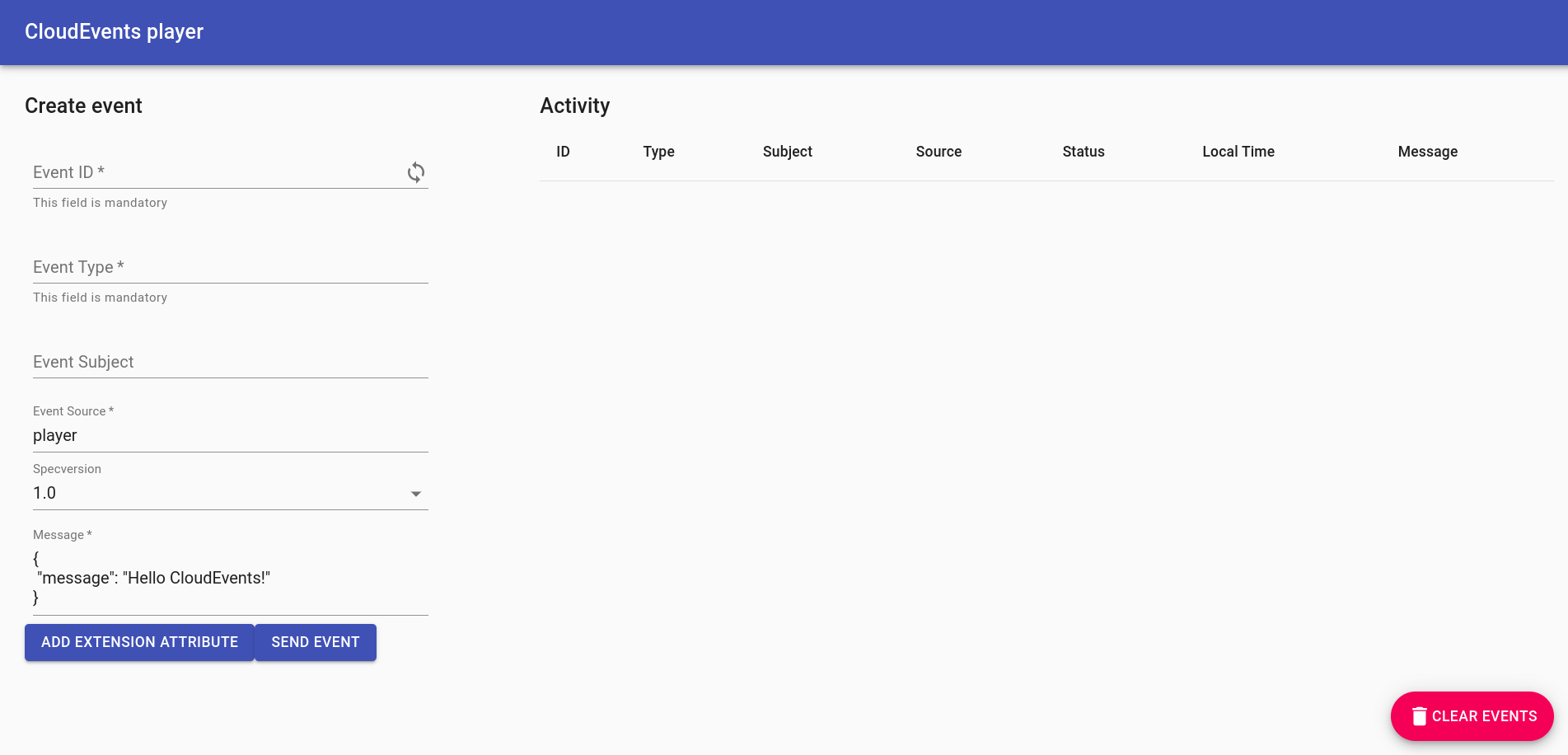
What do these fields mean?
| Field | Description |
|---|---|
Event ID |
A unique ID. Click the loop icon to generate a new one. |
Event Type |
An event type. |
Event Source |
An event source. |
Specversion |
Demarcates which CloudEvents spec you're using (should always be 1.0). |
Message |
The data section of the CloudEvent, a payload which is carrying the data you care to be delivered. |
For more information on the CloudEvents Specification, check out the CloudEvents Spec.
Sending an event
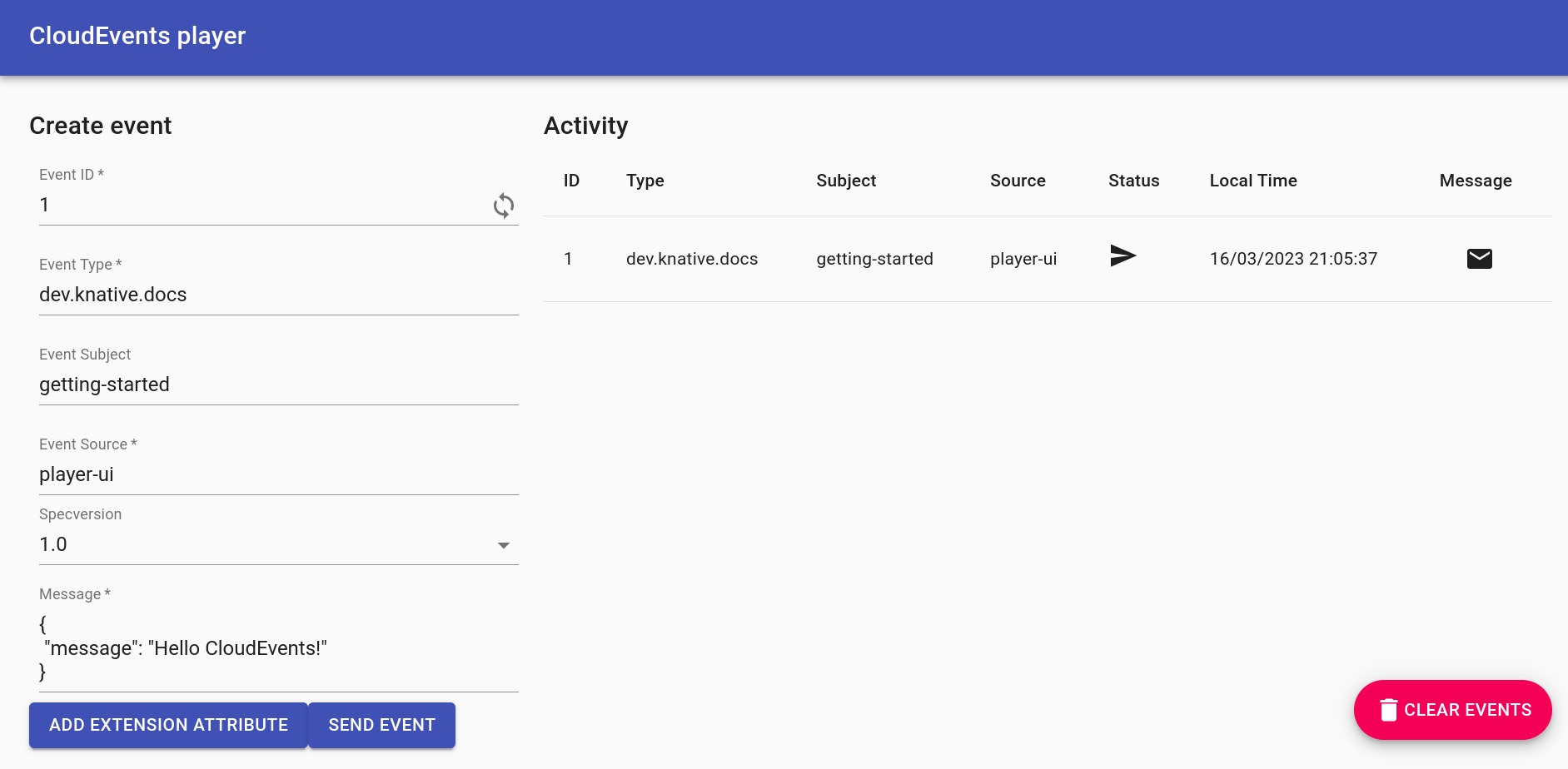
Try sending an event using the CloudEvents Player interface:
- Fill in the form with whatever data you want.
- Ensure your Event Source does not contain any spaces.
- Click SEND EVENT.
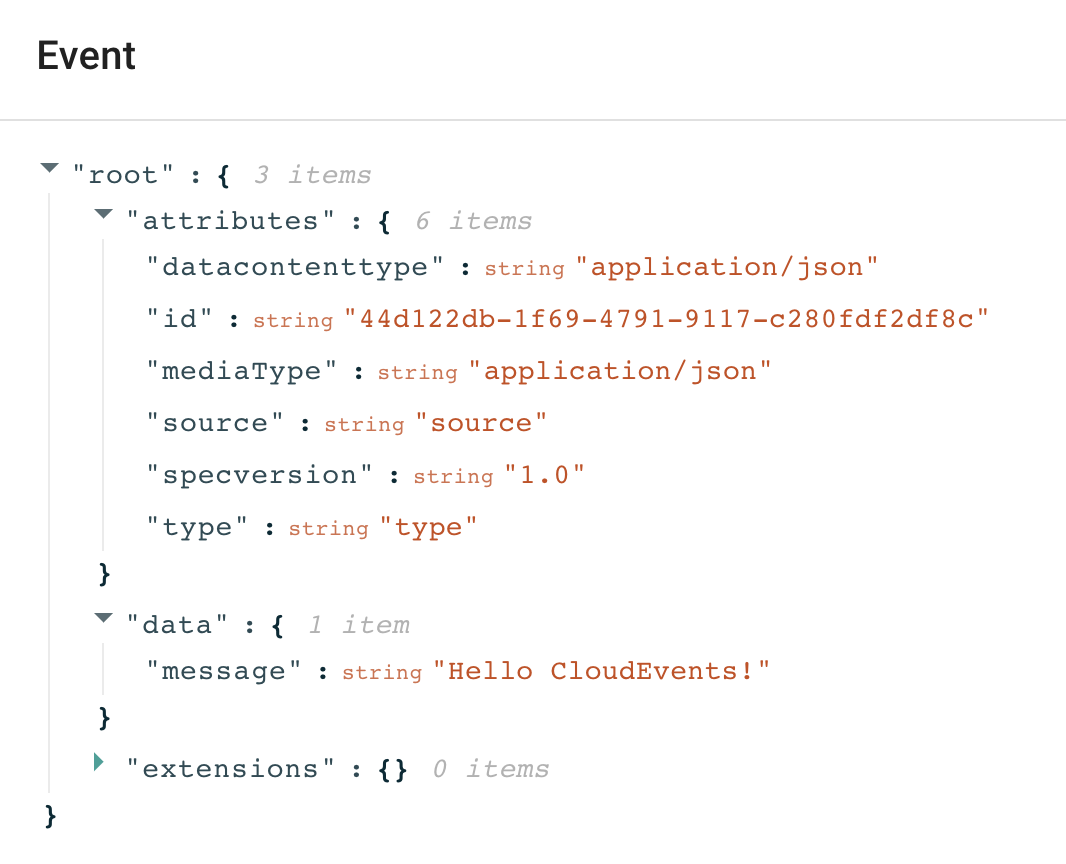
Clicking the shows you the CloudEvent as the Broker sees it.
Want to send events using the command line instead?
Use POST /messages to ask the Player to send an event to its configured sink, as the Web form does. POST / is the Player's subscriber/receive endpoint; posting there tests only receipt by the Player and bypasses the Broker/Trigger path.
To send an event through the source endpoint:
curl -i "$(kn service describe cloudevents-player -o url)/messages" \
    -H "Content-Type: application/json" \
    -H "Ce-Id: 123456789" \
    -H "Ce-Specversion: 1.0" \
    -H "Ce-Type: some-type" \
    -H "Ce-Source: command-line" \
    -d '{"msg":"Hello CloudEvents!"}'
Use a new Ce-Id for each test. To view the Player's recorded sent/received entries:
curl "$(kn service describe cloudevents-player -o url)/messages"
The icon in the "Status" column implies that the event has been sent to our Broker... but where has the event gone? Well, right now, nowhere!
There is not yet a Trigger routing these events to a subscriber. In the next lesson, create one, then send a new event to observe delivery.
Previous: Inspect the Broker · Next: Receive events with a Trigger